
How to Accept or Reject JAMB Admission on JAMB CAPS means using the official admission platform created by JAMB to either agree to an admission offer or turn it down.
Every year, many students write the JAMB exam and wait for admission. Some students keep checking their school portal every day, but they forget one important thing; their admission must also appear on JAMB CAPS.
The thing is, many students lose admission because they do not understand how CAPS works.
Maybe you have seen messages like:
- “Admission in Progress”
- “Recommended”
- “Not Admitted”
- “Accept Admission”
- “Reject Admission”
If those words confuse you, relax. I will show you everything in very simple English.
Let me tell you something many students do not know.
Even if your school gives you admission, you still need to accept it on CAPS before you can fully move forward with things like:
- Printing your admission letter
- Paying acceptance fee
- Doing clearance
- Going for NYSC later in life
So, if you ignore your CAPS portal, you can create problems for yourself without knowing.
A lot of students also ask questions like:
- “Can I reject admission and wait for another one?”
- “What happens if I click reject?”
- “Can I use my phone?”
- “Can I accept admission later?”
You are not alone. These questions are common.
In this guide, I will explain:
- What CAPS really means
- How to Accept JAMB Admission
- How to Reject JAMB Admission
- Mistakes you must avoid
- What happens after accepting or rejecting admission
I will also explain everything about How to Accept or Reject JAMB Admission on JAMB CAPS 2026/2027 using simple examples that are easy to understand.
Read also:
- Can I Get JAMB Admission Without Writing JAMB in 2026/2027?
- How to Check Your JAMB Admission Status 2026/2027
What is JAMB CAPS?
Meaning of CAPS in JAMB
CAPS means Central Admission Processing System.
It is an online admission platform created by JAMB to control and monitor admissions into Nigerian universities, polytechnics, and colleges of education.
Before CAPS was introduced, many students had admission problems. Some schools admitted students secretly. Some students did not even know their real admission status.
So, JAMB created CAPS to make the admission system more open and fair.
Today, almost every school in Nigeria uses CAPS.
What You Can Do on CAPS
When you login to CAPS, you can do many things.
You can:
- Check your admission status
- Accept admission
- Reject admission
- See if your course was changed
- Monitor admission updates
- Print your admission letter later
Think of CAPS like your personal admission control room.
If your admission is ready, CAPS will show it.
If your school changes your course, CAPS will show it too.
For example, imagine you applied for Medicine but your score was low. Your school may move you to Microbiology. CAPS will display the new course for you to accept or reject.
That is why you must always check it carefully.
Why CAPS is Important for Every Student
CAPS is important because your admission becomes more official there.
Some students celebrate too early after seeing admission on the school portal. But later, they discover their admission never appeared on CAPS.
That can create serious issues.
For example:
- You may not be able to print your admission letter
- Your admission may remain incomplete
- Your school records may not match JAMB records
Let me tell you a simple story.
A student got admission into a university and quickly paid acceptance fees. He was happy. Months later, during clearance, he discovered he never accepted admission on CAPS.
He had to start running around cyber cafés trying to fix the issue.
You do not want that kind of stress.
So, anytime your school gives you admission, go straight to CAPS and confirm everything yourself.
Requirements Before You Can Accept or Reject Admission
Before you try to accept or reject admission on CAPS, there are some important things you must prepare first.
Many students rush to the portal and later get confused because something is missing.
The good thing is this; once you have the correct details ready, the work becomes easier.
Things You Must Have Ready
Before opening CAPS, make sure you have the following:
| Requirement | Why You Need It |
|---|---|
| JAMB Registration Number | To identify your profile |
| Email Address | To login to your JAMB profile |
| Password | To access your account |
| Good Internet Connection | To avoid loading problems |
| Phone or Laptop | To access the CAPS portal |
If one of these things is missing, you may not be able to login successfully.
Your JAMB Registration Number
Your JAMB registration number is very important.
This number connects everything about your admission.
Without it, you cannot:
- Check admission status
- Access CAPS
- Print admission letter
- Confirm your details
Most students write this number carelessly and later forget it.
I will advise you to save it somewhere safe.
You can:
- Write it inside a notebook
- Save it on your phone
- Send it to your email
That small step can save you from stress later.
Your Email and Password
To access CAPS, you must login with the same email linked to your JAMB profile.
The thing is, many students use cyber cafés during registration and later forget the email password.
That becomes a problem.
Imagine trying to accept admission but you cannot even login because you forgot your password. It happens to many students every year.
So, before checking CAPS, make sure:
- You know your email address
- You know your password
- Your phone number linked to the email still works
If you forgot your password, try resetting it before admission starts coming out.
Devices You Can Use
You do not need an expensive laptop before using CAPS.
You can use:
- Android phone
- iPhone
- Laptop
- Desktop computer
But let me tell you something important.
Sometimes CAPS does not display properly on mobile phones.
Some buttons may hide, especially the “Accept Admission” button.
That is why many students prefer using:
- Google Chrome browser
- Desktop mode on phone
- Cyber café computers
If your phone is not showing everything clearly, switch your browser to “Desktop Site.”
That small trick helps many students.
Can You Use a Cyber Café?
Yes, you can.
In fact, many students use cyber cafés because café operators already understand CAPS.
But you still need to be careful.
Some students make mistakes because they allow café operators to click things without checking.
Never allow anybody to:
- Accept admission for you without your permission
- Reject admission without explaining it
- Change your details carelessly
Always look at the screen yourself before any button is clicked.
This is your future; not the café operator’s future.
Why Your Email Must Be Correct
Your email is more important than many students think.
That email controls your:
- CAPS access
- Admission updates
- JAMB notifications
- Password recovery
Some students use:
- Friend’s email
- Brother’s email
- Café operator’s email
Later, they lose access to their profile.
Imagine needing to accept admission urgently, but the password reset code goes to somebody else’s email.
That can create panic.
So, always use your personal email whenever possible.
Good Internet Connection Helps a Lot
CAPS can sometimes load slowly.
If your network is poor, pages may refuse to open.
Some students click buttons many times because the page is hanging. That can create confusion.
Try to use:
- Stable internet
- Good browser
- Quiet environment
This helps you avoid mistakes.
Simple Tip Before You Login to CAPS
Before checking your admission, keep these things close to you:
- JAMB registration number
- Password
- Phone with good battery
- Strong network connection
Once these are ready, you can move to the next step easily.
How to Accept JAMB Admission on JAMB CAPS
This is the part many students wait for.
After checking your admission status and seeing that you have been offered admission, the next thing is to accept it properly on CAPS.
The thing is, some students see admission but do not know what to click next.
Others become scared because they think they may press the wrong button.
Relax.
I will show you the simple steps for How to Accept JAMB Admission without confusion.
Step-by-Step Guide to Accept Admission
Before you start, make sure you have:
- Your phone or laptop
- Internet connection
- Email and password linked to your JAMB profile
Now follow these steps carefully.
Step 1: Visit the Official JAMB Portal
Open your browser and go to the official JAMB website.
Do not use random links from strangers.
Always use the official portal to avoid scams.
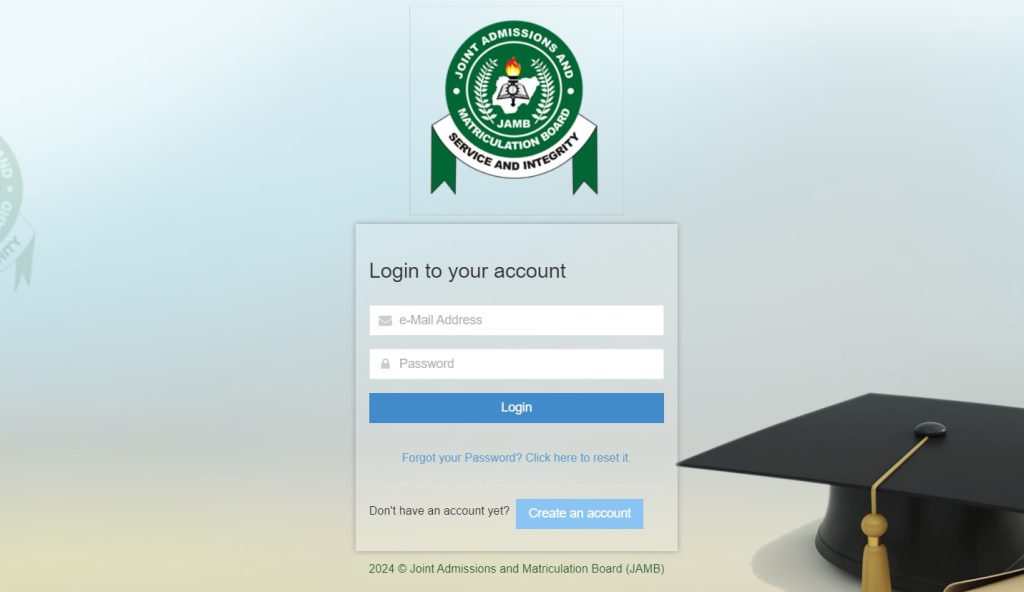
Step 2: Login to Your JAMB Profile
Click on login and enter:
- Your email address
- Your password
Make sure you type them correctly.
If your password is wrong many times, your account may temporarily lock.
Step 3: Locate JAMB CAPS
After login, look for CAPS.
Depending on the portal design, you may see:
- “Check Admission Status”
- “CAPS”
- “Admission Status”
Click it carefully.
Some phones may not display CAPS properly.
If that happens:
- Open Chrome browser
- Click the three dots
- Select “Desktop Site”
Many students solve the problem this way.
Step 4: Open CAPS Properly
Once CAPS opens, look for:
- Admission Status
- My Choices
- Transfer Approval
- Accept Admission
- Reject Admission
If you have been admitted, your course and school will appear there.
For example:
| School | Course | Admission Status |
|---|---|---|
| University of Lagos | Economics | Admitted |
If your admission is ready, you will see two buttons:
- Accept Admission
- Reject Admission
Step 5: Click “Accept Admission”
If you are satisfied with the school and course offered to you, click:
Accept Admission
A message may appear asking if you are sure.
Click confirm.
Once you do this, your admission becomes officially accepted on CAPS.
What Happens After Accepting Admission?
Many students think the work ends immediately after clicking accept.
No.
There are still some things you may need to do.
You Can Print Your Admission Letter
After accepting admission, you can later print your admission letter from the JAMB portal.
This letter is important for:
- School clearance
- Registration
- Scholarship applications
- Future job verification
Keep it safe after printing.
Your School Can Continue Clearance
Most schools expect students to accept admission before physical clearance begins.
If you do not accept it, your records may not match.
That can delay:
- Registration
- Hostel allocation
- Department screening
So, do not delay unnecessarily.
You May Also Need to Print Original JAMB Result
Some schools ask students to bring:
- Admission letter
- Original JAMB result
- O’level results
So, after accepting admission, start preparing your documents early.
Common Problems Students Face While Accepting Admission
Let me tell you something honestly.
Sometimes CAPS behaves strangely.
You may try everything correctly and still face issues.
Do not panic immediately.
Here are common problems students face.
Accept Button Not Showing
This is very common.
Sometimes students see admission but cannot find the accept button.
Possible reasons include:
- Using mobile view instead of desktop mode
- Poor network
- CAPS not fully updated yet
What can you do?
- Refresh the page
- Use desktop mode
- Try another browser
- Visit a trusted cyber café
Admission Still Showing “Under Review”
This message confuses many students.
It simply means your admission has not been fully completed yet.
Your school may still be processing admissions.
So, keep checking regularly.
Do not rush to panic.
Invalid Login Details
Some students forget their password after many months.
If that happens:
- Use “Forgot Password”
- Reset your password through your email
- Use the correct email linked to your profile
This is why I said earlier that your email is very important.
CAPS Refusing to Open
Sometimes CAPS may refuse to load because many students are online at the same time.
This usually happens when schools start releasing admission lists.
You can:
- Try late at night
- Use better internet
- Refresh the page slowly
Patience helps here.
Important Advice Before You Accept Admission
Before clicking accept, ask yourself:
- Is this the course I really want?
- Is this the school I prefer?
- Am I ready to continue there?
Because once you accept admission, changing things later may become difficult.
Take your time and read everything carefully.
How to Reject JAMB Admission on JAMB CAPS
Not every student accepts the admission offered to them.
Some students reject admission because the course is different from what they applied for.
Others are waiting for admission from another school.
This is why JAMB CAPS gives students the option to reject admission.
But let me tell you something important.
You should never reject admission carelessly.
Many students click “Reject Admission” without understanding what may happen later.
So, before doing anything, make sure you understand the risks involved.
Reasons Why Some Students Reject Admission
Different students have different reasons.
Let us look at some common ones.
Wrong Course Offered
This is one of the biggest reasons students reject admission.
For example, imagine you applied for:
- Nursing
- Law
- Medicine
But the school gives you:
- Botany
- Fisheries
- Animal Science
Some students may decide not to continue with that new course.
So, they reject the admission and wait for another opportunity.
Wrong School Offered
Sometimes students do not like the school that offers them admission.
Maybe:
- The school is too far
- School fees are too expensive
- Parents do not approve
- The environment is not comfortable
In situations like this, some students reject the admission.
Waiting for Another School
This also happens often.
A student may apply to multiple schools through:
- Change of institution
- Direct Entry
- Supplementary admission
If another preferred school has not released admission yet, the student may wait instead of accepting the current one.
But this decision can be risky.
Step-by-Step Guide to Reject Admission
If you truly want to reject admission, follow the correct steps carefully.
Step 1: Login to Your JAMB Profile
Go to the official JAMB portal.
Enter:
- Your email
- Your password
Make sure your details are correct.
Step 2: Open CAPS
After login:
- Locate CAPS
- Click Admission Status
- Switch to desktop mode if needed
This helps the full CAPS page display properly.
Step 3: Check the Admission Details
You will see details like:
| School | Course | Status |
|---|---|---|
| University of Abuja | Sociology | Admitted |
Read everything carefully.
Do not rush.
Step 4: Click “Reject Admission”
If you are completely sure, click:
Reject Admission
A confirmation message may appear.
Confirm your action carefully.
Once done, your admission will be rejected on CAPS.
What Happens After Rejecting Admission?
This is the question many students ask.
The thing is, rejecting admission can have different outcomes.
You May Receive Another Admission
Sometimes, students who reject admission later receive another offer.
This may happen if:
- Another school considers them
- Another course becomes available
- Supplementary admission opens
But nothing is guaranteed.
That is the risky part.
You May Lose Admission Completely
This is what many students fear.
If you reject one admission and another school does not offer you admission later, you may lose the entire academic year.
Imagine staying at home for another year because of one wrong decision.
That is why you must think carefully before rejecting any offer.
Some Schools May Not Wait for You
Admission spaces are limited.
Once you reject an offer, the school may quickly give that space to another student.
So, do not assume you can always return later.
Questions You Should Ask Yourself Before Rejecting Admission
Before clicking reject, ask yourself:
- Can I study this course and later switch?
- Is waiting another year worth it?
- What if another school does not admit me?
- Have I discussed this with my parents or guardian?
These questions can help you avoid regret later.
Simple Example You Can Relate To
Let me give you a simple example.
Chinedu applied for Computer Science but got admitted into Mathematics.
At first, he wanted to reject the admission immediately.
But his older brother advised him to accept it first and later apply for change of course inside the school.
He accepted the admission and eventually moved to Computer Science in his second year.
Now imagine if he rejected the admission and got nothing later.
That one decision could have delayed his education for years.
So, always think deeply before rejecting any admission.
Important Warning About Rejecting Admission
Do not allow anybody to pressure you into rejecting admission quickly.
Not:
- Friends
- Cyber café operators
- Social media strangers
This decision affects your future.
Take your time.
Read carefully.
Ask questions if necessary.
Difference Between Accepting and Rejecting Admission
Many students see the two buttons on CAPS:
- Accept Admission
- Reject Admission
But they do not fully understand what each one means.
The thing is, these two buttons can affect your academic future in different ways.
So, before clicking anything, you should understand the difference clearly.
Meaning of Accepting Admission
When you click Accept Admission, you are telling JAMB and your school that:
“Yes; I agree to study this course in this school.”
That simple click shows that you have accepted the admission officially.
What Accepting Admission Means for You
After accepting admission:
- Your admission becomes active on CAPS
- You can print your admission letter
- You can continue school registration
- You can pay acceptance fees if required
Most schools expect students to do this quickly.
If you delay too much, you may create problems for yourself later.
What It Means for Your School
Your school also receives confirmation that you accepted the offer.
This helps the school prepare for:
- Clearance
- Department registration
- Student records
- Course allocation
So, accepting admission is like saying:
“I am ready to become a student of this school.”
Meaning of Rejecting Admission
When you click Reject Admission, you are telling JAMB:
“I do not want this admission offer.”
This means you are refusing the school and course offered to you.
Some students do this because:
- They dislike the course
- They prefer another school
- They want to try again next year
But rejecting admission should never be done carelessly.
Why Students Must Think Carefully Before Rejecting Admission
Let me tell you something honestly.
Some students reject admission emotionally.
Maybe their friends laugh at the course.
Maybe they feel the school is not popular enough.
Later, they regret the decision.
A student may reject admission hoping for Medicine in another school but end up getting nothing that year.
That pain can be hard.
So, before rejecting admission, calm down and think deeply.
Ask yourself:
- Is this opportunity still useful?
- Can I build my future from this course?
- Am I ready to risk another year?
Simple Table Comparing Both Options
| Action | Meaning | Possible Result |
|---|---|---|
| Accept Admission | You agree to the admission offer | You continue registration and become a student |
| Reject Admission | You refuse the admission offer | You may wait for another admission or lose admission completely |
This table may look simple, but the decision behind it is serious.
Which Option is Better?
There is no single answer for everybody.
For some students:
- Accepting admission is the best choice
For others:
- Rejecting may make sense if the course is completely unacceptable
But here is an important truth:
It is usually safer to accept an admission than to reject it carelessly.
Especially when:
- Admission is hard to get
- Competition is high
- Your score is not very strong
So, think carefully before making your choice.
Important Advice Before Clicking Any Button
Before accepting or rejecting admission:
- Read the course name properly
- Confirm the school
- Ask questions if confused
- Speak with trusted parents or guardians
Do not rush because of pressure from friends.
This decision can affect many years of your life.
Common Questions Students Ask About JAMB CAPS
Every year, thousands of students become confused about CAPS.
Some students panic when they see strange messages.
Others keep refreshing the page every hour because they do not understand what they are seeing.
If you have been worried too, relax.
You are not the only one asking questions about How to Accept or Reject JAMB Admission on JAMB CAPS.
Let me answer some of the common questions students ask.
Can I Change My Mind After Accepting Admission?
This is one of the biggest questions students ask.
The simple answer is:
It can be difficult.
Once you accept admission on CAPS, it means you already agreed to the offer officially.
Some students later change their minds because:
- They got another admission
- They dislike the school later
- Parents changed plans
- They want another course
But the thing is, reversing admission decisions is not always easy.
That is why you should think properly before clicking “Accept Admission.”
What If I Already Accepted the Wrong Course?
This situation happens a lot.
A student may quickly accept admission without checking the course carefully.
Later, they discover the school changed their course.
For example:
- Applied Course: Mass Communication
- Offered Course: Linguistics
That can be shocking.
If this happens, visit your school’s admission office quickly and ask about:
- Change of course
- Internal transfer
- Available options
Some schools allow students to switch departments later.
Can I Accept Admission With My Phone?
Yes, you can.
Many students now use their phones for CAPS.
But there is one small issue.
Sometimes the CAPS portal does not display fully on mobile phones.
You may not see:
- Accept button
- Reject button
- Full admission details
If this happens:
- Open Chrome browser
- Click the three dots
- Select “Desktop Site”
This usually fixes the problem.
If it still refuses to work, use:
- Laptop
- Desktop computer
- Trusted cyber café
What If I Ignore My Admission on CAPS?
This is risky.
Some students think:
“I will accept it later.”
Then weeks pass.
Then months pass.
Before they realize it, problems start appearing.
Ignoring your admission can affect:
- Admission confirmation
- School registration
- Clearance
- Printing admission letter
Some schools may even assume you are no longer interested.
So, once you see admission, check it properly and take action early.
How Long Does JAMB Give Students to Accept Admission?
There is no fixed number of days announced for everybody.
Different schools release admissions at different times.
But let me tell you something important.
Do not wait too long.
Admission spaces can be sensitive.
Some schools expect students to act quickly.
If you delay unnecessarily, you may create avoidable problems for yourself.
The safest thing is:
- Check CAPS regularly
- Accept admission once you are sure
- Complete your registration early
Why Is My CAPS Showing “Admission in Progress”?
This message simply means your admission is still being worked on.
It is actually a good sign in many cases.
It shows your school may still be processing your admission.
At this stage:
- Keep checking regularly
- Do not panic
- Do not believe every rumor online
Many students later receive admission after seeing this message.
Why Is My CAPS Showing “Not Admitted”?
This message scares many students.
But it does not always mean admission is impossible.
Possible reasons include:
- Your school has not uploaded admission yet
- Admission list is still coming out
- Your admission is still under review
Some students see “Not Admitted” today and receive admission weeks later.
So, do not lose hope too quickly.
Can Two Schools Offer Me Admission on CAPS?
Normally, CAPS allows only one active admission at a time.
If you accept admission from one school, it usually becomes your official admission.
That is why students should think carefully before accepting any offer.
Why You Should Keep Checking CAPS Often
Admission updates can change suddenly.
A student may check in the morning and see:
- Not Admitted
Then check again later and see:
- Admitted
This happens often.
So, try checking CAPS regularly during admission season.
Important Advice for Students Waiting for Admission
While waiting for admission:
- Stay calm
- Avoid fake news
- Use only official portals
- Keep your login details safe
And most importantly:
Do not allow fear to push you into making rushed decisions.
Mistakes to Avoid When Using JAMB CAPS
Many students lose time, money, and peace of mind because of simple mistakes on CAPS.
Some mistakes may look small at first, but they can create serious admission problems later.
The good thing is this;
If you understand these mistakes early, you can avoid unnecessary stress.
Let me show you some common mistakes students make during How to Accept or Reject JAMB Admission on JAMB CAPS.
Accepting Admission Without Checking the Course
This is one of the biggest mistakes students make.
Some students become too excited after seeing admission.
They quickly click:
- Accept Admission
Without reading the course properly.
Later, they discover:
- The course was changed
- The department is different
- The school offered another program
Imagine applying for Accounting and later discovering you accepted Education Accounting without noticing.
That shock can be painful.
So, before clicking anything:
- Read the school name carefully
- Read the course carefully
- Confirm everything twice
Never allow excitement to make you careless.
Ignoring Course Transfer Information
Sometimes schools recommend students for another course through CAPS.
Many students ignore this information because they do not understand it.
For example:
- Applied Course: Pharmacy
- Offered Course: Biochemistry
If you ignore the transfer approval completely, your admission may delay.
So, always check every section inside CAPS carefully.
Giving Cyber Café Operators Full Control
Cyber cafés help many students, but some students trust café operators too much.
This can become dangerous.
Some students do not even look at the screen while the operator clicks buttons.
That is risky.
Imagine somebody mistakenly clicking:
- Reject Admission
Instead of:
- Accept Admission
That one mistake can create serious problems.
Whenever you visit a café:
- Watch the screen carefully
- Read every message yourself
- Ask questions if confused
Remember;
Nobody will care about your admission more than you.
Using the Wrong Email Address
This problem happens every year.
A student may register with:
- Friend’s email
- Brother’s email
- Café operator’s email
Later, they cannot access CAPS.
Without the correct email, you may struggle to:
- Reset password
- Receive updates
- Login to your profile
Always keep access to your own email.
It makes life easier.
Forgetting Passwords Carelessly
Some students create passwords and never save them anywhere.
Months later, admission starts coming out and they cannot login anymore.
That creates panic.
You can avoid this by:
- Writing your password safely
- Saving it privately on your phone
- Using an email you check often
Simple habits can save you from stress.
Believing Fake Admission News Online
Social media can confuse students badly during admission season.
You may see messages like:
- “Admission closes tonight”
- “Accept immediately or lose admission”
- “New secret CAPS update”
Some of these messages are false.
Before believing any information, confirm it from:
- JAMB
- Your school portal
- Official school announcements
Do not let rumors pressure you.
Refreshing CAPS Too Aggressively
This may sound funny, but many students do it.
They refresh CAPS every few seconds because they are nervous.
Sometimes this causes:
- Browser hanging
- Login problems
- Session errors
If CAPS is slow:
- Relax
- Wait patiently
- Try again later
Admission updates take time sometimes.
Accepting Admission Because Friends Did
This is another dangerous mistake.
Some students accept or reject admission because:
- Their friends said so
- Social media people advised them
- Other students laughed at the course
But your future is different from your friend’s future.
A course your friend dislikes may still help you build a good career.
So, make decisions carefully.
Failing to Check CAPS Regularly
Some students stop checking CAPS too early.
They assume:
- Admission is over
- Nothing will change
But schools release admissions in batches sometimes.
A student may receive admission weeks later.
So, keep checking regularly during admission season.
Important Advice for Every Student
Before accepting or rejecting admission:
- Stay calm
- Read carefully
- Ask questions
- Avoid pressure
- Think about your future
FAQs About How to Accept or Reject JAMB Admission on JAMB CAPS
1. Can I Reject Admission and Still Gain Admission Again?
2. Is Accepting Admission on CAPS Compulsory?
Yes.
If you want your admission to become fully active, you should accept it on CAPS.
Without accepting admission, you may face problems with:
Admission confirmation
Clearance
Printing admission letter
School registration
So, once you are satisfied with the admission offered to you, accept it properly.
3. Can I Use My Phone Browser to Access CAPS?
Yes, you can.
Many students now use phones to check CAPS.
But sometimes mobile browsers hide some important buttons.
If you cannot see:
Accept Admission
Reject Admission
Switch your browser to:
Desktop Mode
This usually solves the problem.
4. Why Is My Admission Status Showing “Not Admitted”?
Do not panic immediately.
This message can appear because:
Your school has not uploaded admission yet
Admission is still ongoing
Your details are still under review
Some students later receive admission after weeks of waiting.
So, continue checking regularly.
5. What Should I Do After Accepting Admission?
After accepting admission, the next steps usually include:
Printing your admission letter
Printing original JAMB result
Paying school acceptance fee
Preparing for clearance
Checking your school portal often
Each school may have slightly different instructions, so follow your school updates carefully.
6. Can Two Schools Offer Me Admission on CAPS?
Normally, CAPS allows one active admission at a time.
Once you accept admission from one school, that admission becomes your official choice.
This is why students should avoid rushing into decisions.
Conclusion
Understanding How to Accept or Reject JAMB Admission on JAMB CAPS is very important for every student seeking admission in Nigeria.
Many students focus only on gaining admission but forget that CAPS is also part of the admission journey.
The thing is;
A simple mistake on CAPS can create unnecessary stress later.
That is why you should always:
- Read carefully
- Confirm your course properly
- Use the correct email
- Think before accepting or rejecting admission
If you receive admission into your preferred school and course, accepting it early can help you move forward with registration and clearance smoothly.
But if you want to reject admission, make sure you truly understand the risks involved before making that decision.
I hope this guide has helped you understand:
- How to Accept JAMB Admission
- How to Reject JAMB Admission
- How to Accept or Reject JAMB Admission on JAMB CAPS 2026/2027
Most importantly, keep checking the official JAMB portal regularly for updates.